Vintage Computer Festival 2007

This past weekend I attended the Vintage Computer Festival at the Computer History Museum (article). There were numerous highlights at the exhibits. I saw a demo of the Minskytron and Spacewar! on an original PDP-1 by Steve Russell. The Magic-1 was a complete homebrew computer made of discrete 74xx logic chips running Minix. The differential analyzer showed how analog computers worked. I also met Wesley Clark and watched team members type demo code into the LINC, similar to ed on a very small terminal.

One question I asked other attendees was what recent or modern laptop I could get for outdoor use. I am looking for a low-power device with a high-contrast screen for typing notes or coding while camping. Older LCD devices like the eMate met these criteria but a more modern version is preferable. Most recommended the OLPC XO-1, and in monochrome mode, it sounds like what I want. But I think I’ll wait for the second version to be sure the bugs are worked out.

After looking around at attendees, I was concerned for our future. Other than a few dads with their kids, most people were 40+ years old. While I missed out on the golden era of computer diversity (I got my first C64 in 1987), I was always fascinated with how computers were invented. I checked out books from the library and read old copies of Byte magazine found in a dumpster. Once I got on the Internet, I browsed the Lyons Unix source code commentary and studied the Rainbow Books to understand supervisor design.

So where was the under-30 crowd? Shouldn’t computer history be of interest to most computer science/electrical engineering students, and especially to security folks? Many auto mechanics enjoy viewing and maintaining old hotrods. Architectural history is important to civil engineers. I appreciate the work bunnie is doing to educate people on semiconductor design, including old chips. Is this having an effect?

If you’re under 30, I’m interested in hearing your response.
Blackhat next week

I’m headed for the Blackhat conference next week. We’ll be giving our talk on why a 100% undetectable hypervisor is impossible

We’ll also be releasing our toolkit (“samsara”, an ongoing cycle of rebirth). This is the same code we will use for the Blue Pill challenge whenever Joanna and crew are ready. My hope is that it provides a nice implementation of the tests we’ll describe in our talk and a useful framework for other researchers to add new tests. We expect this will end the irrational fear of hypervisor rootkits and show attackers why spending their time developing one would be futile.

If you run into me, be sure to say hello.

IBM Thinkpad overheating chipset fix

I’ve used Thinkpads for a long time for the relative build and BIOS quality, although recently I switched to the Panasonic Y series. I still have an IBM R32 for guests to use but recently it began blue screening randomly.

The symptoms were that it would run ok for a while, a couple hours to a few days, and then would get a STOP error in ati2advg.dll. Often, it would do this when beginning to play a video. I had tried various combinations of video drivers with little change. RAM tests showed no problems.

I found on various forums that the T42 and possibly other systems had a build problem where picking up the laptop by one corner would cause a heatsink to momentarily detach from the chipset, resulting in a similar blue screen. This sounded familiar, so I disassembled the laptop. (Disclaimer: doing so voids your warranty, I take no responsibility for your actions.)

Getting a copy of the hardware maintenance manual helps find all the screws and tabs. On most laptops, the first step is to get the keyboard removed and then other screws become accessible.

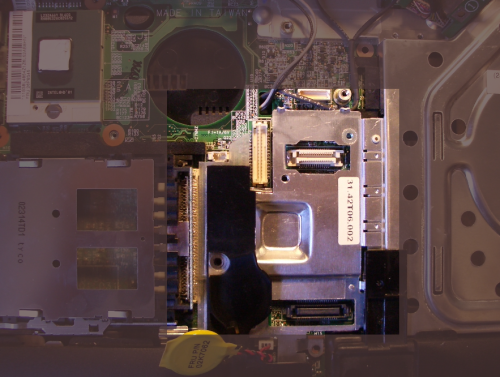
As you can see, the heatsink for the graphics chip is merely a piece of aluminum tied to the drive bay. It had a bit of sticky tape between it and the chip, but it didn’t make full contact with the chip below.

r32-4.png

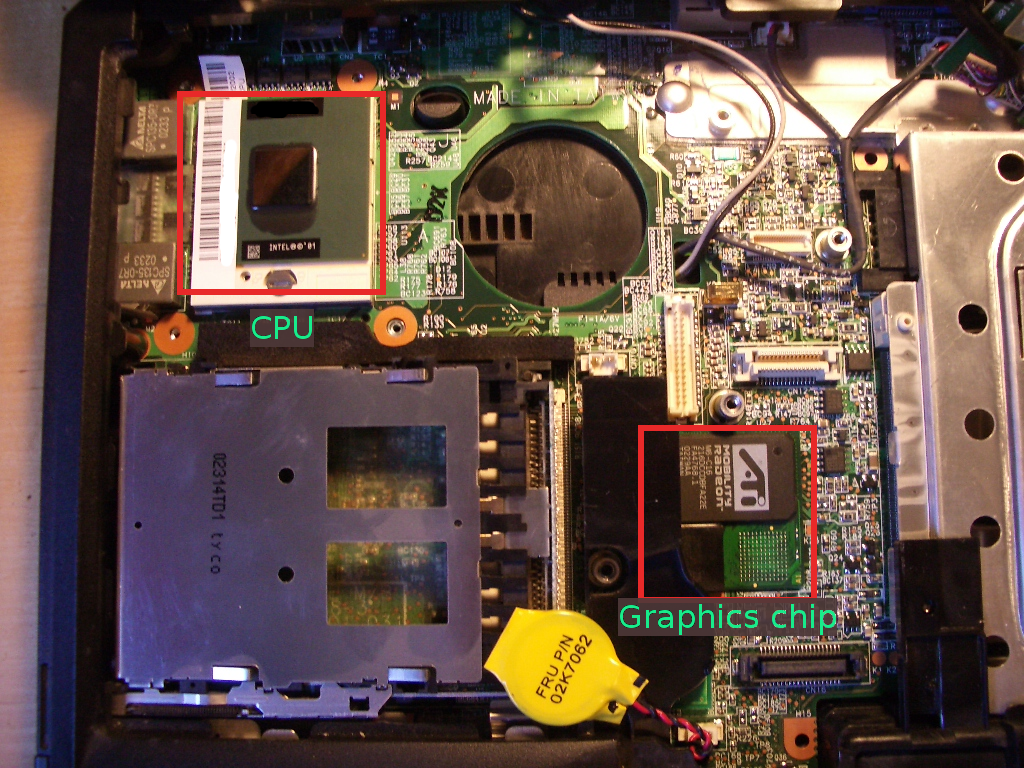
After removing the CPU and graphics chip heat sinks, you can see the CPU on the upper left and the graphics chip in the multi-chip module near the center. Since the chips on this small module are in an L-shape and the heatsink was centered, it only contacted the very edges of each of the chips.

r32-1.png

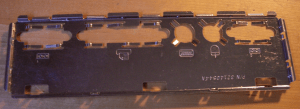
I decided this was likely the problem, so made a new heat spreader for the graphics chip while avoiding adding much weight. I took an old punch-out panel and cut a rectangle using my Dremel tool.

r32-2.png

After cutting, it looked like this:

r32-3.png

I put some heatsink compound on it and attached it to the graphics chips. To keep the corner from shorting out against the solder pads, I put a small square of double-stick tape in the empty space of the “L”. This helped secure the heat spreader, although I’m mostly depending on pressure from the heat sink to keep it in place. I then reattached the heat sink over it and reassembled the laptop.

When reassembling everything, be careful!  The screws that hold the CPU heatsink snap extremely easily.  Once they stop moving under even gentle force,  don’t push them any farther.  I ended up fabricating some out of some old parts.  Don’t make the same mistake.

I’ve run various stress tests, including accidentally leaving it in the sun for a few hours and it hasn’t crashed since. The keyboard above the chip also feels noticeably cooler.